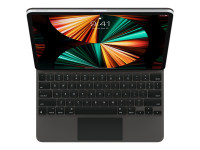
Apple Magic Keyboard - Tastatur und Foliohülle - mit Trackpad - hinterleuchtet - Apple Smart connect
OverView
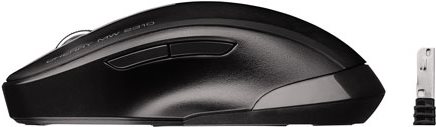
Delux M618 Plus 2.4G Blue Light Wireless Portable Mobile Mouse For PC Laptop Desktop
Abnehmbare BT-Tastaturhülle mit elastischem Stiftschlitz Kompatibel mit iPad Pro 10.5 / Air3 10.5 2019 / iPad 10.2 2020 Pink
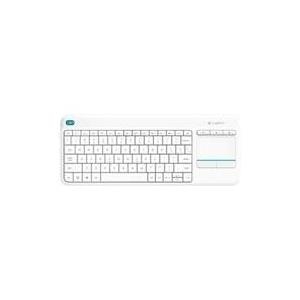
Logitech Slim Wireless Combo MK470 - Tastatur-und-Maus-Set
PLATZSPARENDES DESIGN Minimalistisches, modernes Design, dazu flüsterleise: das ultradünne, kabellose Tastatur-Maus-Set MK470 verschönert jeden Schreibtisch und ermöglicht effizientes Arbeiten. MIN...
Bastron B45 Three Modes Medical Keyboard Glass IP67 Waterproof Touch Pad for Clinic Sickroom
Fujitsu KB900 - Tastatur - USB - US-Englisch/Lettisch - Schwarz - für Celsius J550, M770, W570, CELSIUS Mobile H970, ESPRIMO D556, D738/E94, D757, D958/E94
Kurzinfo: Fujitsu KB900 - Tastatur - USB - US-Englisch/Lettisch - Schwarz - für Celsius J550, M770, W570, CELSIUS Mobile H970, ESPRIMO D556, D738/E94, D757, D958/E94 Gruppe Tastaturen Hersteller Fujitsu Hersteller Art. Nr. S26381-K560-L447 Modell KB900 EAN/UPC 4049699235955 Produktbeschreibung: Fujitsu KB900 - Tastatur - US-Englisch/Lettisch Gerätetyp Tastatur Schnittstelle USB Layout US-Englisch/Lettisch Tastenanzahl 105 Besonderheiten Palm Rest, spritzwassergeschützt, rote LEDs Farbe Schwarz Abmessungen (Breite x Tiefe x Höhe) 46.5 cm x 17.9 cm x 2 cm Gewicht 0.85 kg Microsoft Zertifizierung Compatible with Windows 7 Entwickelt für Celsius J550, M770, R940, W550, W570, CELSIUS Mobile H970, ESPRIMO C910, D556, D738/E94, D757, D757/E94, D957, D957/E94, D958/E94, E400, E7936, P556, P710, P756, P756 E94, P7936, P910, P957, P9900, Q1510, Q520, Q900, Q9000, Q956, LIFEBOOK E780, P770, S710, S760, T730, T900, TH700, PRIMERGY MX130 S2 Ausführliche Details Allgemein Gerätetyp Tastatur Schnittstelle
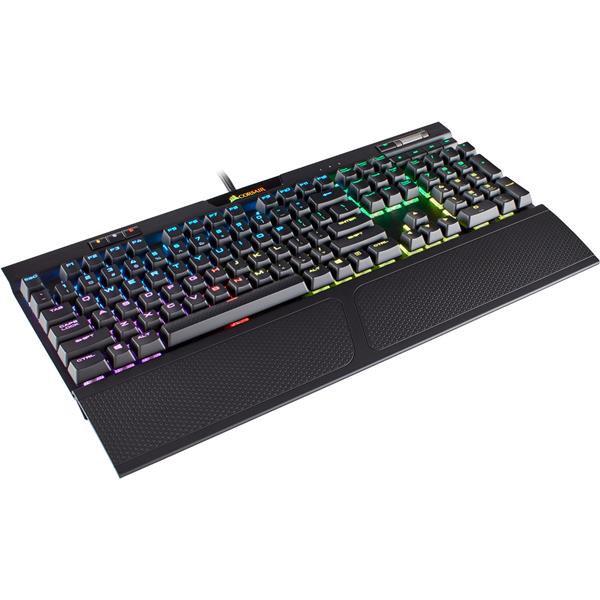
Arealer Roarer 104 Keys RGB Blue Switches Mechanical Gaming Macro Keyboard
Features: Blue Switches Blue switch is the loud keyboard, its sensitive and responsive with clicky sound, fast response, let you enjoy the most mechanical feeling. LED Backlight Built-in 16.8 million colors for illumination arrangement, preset 9 lighting effects with 21 levels of brightness adjustments and 10 grades of frequency adjustment. Incredible to look at in dark environments.FN+BackSpace mode, the light will jump following the music. Fully Programmable RGB Keys 3 programmable keys 16.8 million colorsto reassign any key lit up, making ultra cool backlight to fit for different game modes. And all work with FN key. Software for Macros Download the software, set up the most extreme macros for effortless gaming. Extreme Durable Ultra durable switches up to 60 million times keystrokes, let you enjoy a long-time charismatic mechanical keyboard. And key cap designed with dual-color injection molding for never fading. Anti-ghosting Full anti-ghosting 104 keys,N-KEY rollover allows multiple keys to work simultaneously. Ergonomic Design Every keystroke providing distinct responsive feedback can effectively reduce fatigue. And equip with 32 shortcut keys by pressing the FN key for easy access to backlight customizing, media, volume, key cock, etc. Aluminum alloy panel Built-in dual PCB for maximum stability, and aluminum alloy construction by exquisite process increases its design and force sense. Lighting Effect Instructions: 9 preset lighting effects: FN+PS/SL/PB/INS/HM/PU/DEL/END/PD 3 RGB programmable keys: FN+F10,F11,F12(press the first time: display the lighting effect you have customized, press the second time: key flashing, start to customize, FN + R key/G key/B key to change the color of programmable key, whose color will be the same as that any key you press to customize) Lighting brightness adjustment(21 grades): FN+(the fourth indicator flashes 5 times while brightness reaches the max/min) Lighting accelerate/slowdown adjustment(10 grades): FN++-(the fourth indicator flashes 5 times while speed reaches the max/min) Multimedia keys: FN+ F1~F8 Turn off the backlight: FN+for adjusting the brightness to the minimum Install the software: Customize the lighting effect(more details refer to the software instructions) Software Download: Link: https://mega.nz/#F!5spghCpJ Decryption Key: !gRZ9ZPubLKuUnDdCbZbozA Video of backlight operation: https://www.youtube.com/watch?v=JYNLhCUR_04