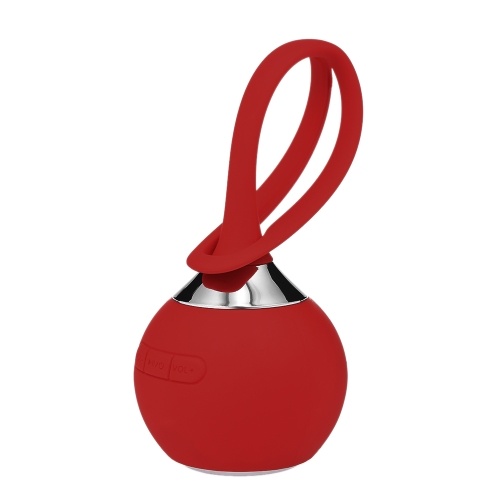
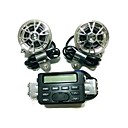
Creative Portable Wireless BT Speaker with Mic
OverView
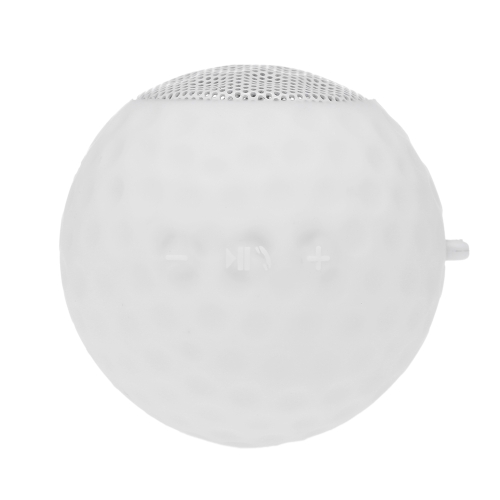
Chargeur de voiture USB Elonbo Conception du football sans fil pour portable
Type d'accessoire:Gadgets Accessoires Voiture; Matière:Plastique; Couleur:Couleurs assorties; Dimensions (cm):7.53.33.3; Poids (kg):0.018
12V G-6S Car Bluetooth Power Car Amplifier With Remote Control
Feature:1. Mini HIFI digital Bluetooth audio power amplifier.2. SD Card, U disk, AUX input, MP3 format play, support Bluetooth wireless connection.3. Supports FM stereo radio.4. Low distortion supplies a clearer, stronger and more powerful sound.5. With Remote control function.Specification:Color: Red, BlueInput voltage: DC 12VBluetooth: SupportRMS Power: 30WChannel: 2CHLoad impedance: 4-16SNR: 85 dbFM frequency: 87.5-108MHzDistoration rate: 0.05%Frequency: 20Hz-20KHzSize: Approx. 16x8x5cm/ 6.3x3.2x2Package Included:1 X Power Amplifier1 X Remote Control
Stylish Flame Lamp Wireless Portable BT Speaker Torch Atmosphere Light USB Charging Stereo Sounbar
Features: With BT 4.2 function, compatible with most of the BT-enabled devices, instantly connect to your devices from up to 10m away, make connection without pressure. Using flame light effect, create a great listening feeling for you, perfect for home, party, picnic or any other activities, take it with you to listen to music anytime and anywhere. Adopt a 52mm high-performance driver, provide strong bass without distortion even at highest volume, you can experience your music in full-bodied stereo. Built-in rechargeable 1800mAh lithium-ion battery, more durable, the standby time up to 20 hours, and you can enjoy up to 8 nonstop hours of your favorite music, which is great for a party night.
12.1 "toit monter lecteur DVD de voiture avec un casque de télévision gratuite du transmetteur fm
Mémoire externe:Jusqu'à 8Go/Carte SD; Caractéristiques:Transmetteur IR,Prise en charge SD/USB.,Transmetteur FM,Jeux; TV numérique ou analogique:TV analogique; Format de l'affichage:16:9; Taille d'écran:12.1 pouces; Résolution d'écran:1280 x 800; Langues OSD:German,Français,Anglais,Espagnol; Type de support:DVD,MP4,JPEG,WMA,MP3,VCD,CD; Télécommande:Oui; Type:Support de Montage sur Toit; Couleur:Noir,Beige,Gris; Poids net (kg):2.68; Garantie:1 An
JMT-402 t20-7443 60w 650lm 12LED rouge voiture direction / backup / stop - (DC 10 ~ 24V)
Puissance (W):60; Lumen(LM):650; Douille de lampe:T20(7440,7444); Quantité de LED:12; Couleur de la lumière:Rouge; Dimensions/LxLxH:5.922; Poids net (kg):0.017; Fonction:Feux de recul,Feux stop,Feux clignotants; Type de puce:LED Haute Performance; Matériau:Aluminium; Tension d'entrée:12 ~ 24V
iMars TX11-C bluetooth 5.0 + EDR Audio Transmitter Support 3.5mm AUX Coaxial USB Audio Input Interface
iMars TX11-Cbluetooth 5.0 + EDR Audio Transmitter Support3.5mm AUX / Coaxial / USB Audio InputInterfaceProduct Parameters:Brand:iMarsbluetooth version: 5.0 + EDR Working distance: About 8M Power supply mode: USB DC5V Audio input interface: 3.5mm AUX / Coaxial / USBProduct use:TV coaxial use:1.Plug the audio cable into the coaxial adapter at one end,then plug the adapter into the coaxial audio output port oftheTV, and plug the other end of the audio cable into the coaxialinterface of the transmitter.2.USB power supply: mobile phone charger / TV USB/Computer USB etc3.Plug the TX11-C into the USB 5V charging port( Phone charger/Mobile power / TV USB / PC USB )4. After the TX11-C is powered on, when the blue LED flashes,it indicates that the product startup is completedand hasentered the search pairing state.5. Turn on the bluetooth audio/earphone and enter the pairablestate, waiting for the TX11-C to automatically pair.After the pairing is successful, the blue LED light is always on.5,set the audio output of the TV, different TV settings will be different.Millet TV: Settings -- Output Devices -- SPIDFLeTV: Settings - Sound - Speakers External speakersSharp TV: Settings -Digital Audio Output - PCM16Samsung TV: Settings - Output Settings - External SpeakersMore TV settings are in the collection...Computer use installation:1. Insert TX11-C into the USB of the computer, LED red and blue flashing.2. Turn on the bluetooth headset or bluetooth stereo, and enterthe pairing status.3. Wai